Quick Answer
To turn on a Vizio soundbar without a remote, press the Power button on the soundbar, which sits on the top or side panel of most Vizio models alongside Input, Volume, and Bluetooth. For hands-free power, connect the Vizio soundbar to the TV’s HDMI ARC port and enable CEC, or use a Vizio TV remote. It takes under 5 minutes; first confirm the power cord is seated in the AC IN port.
Key Takeaways
- Most Vizio soundbars have Power, Input, Volume, and Bluetooth buttons on the top or side of the bar.
- On many Vizio models, holding Power and Volume Up for 5 seconds toggles control by a Vizio TV remote.
- With that setting on, a Vizio TV remote can wake the soundbar with its Volume Up button.
- HDMI ARC with CEC and system audio control lets your TV remote handle soundbar volume.
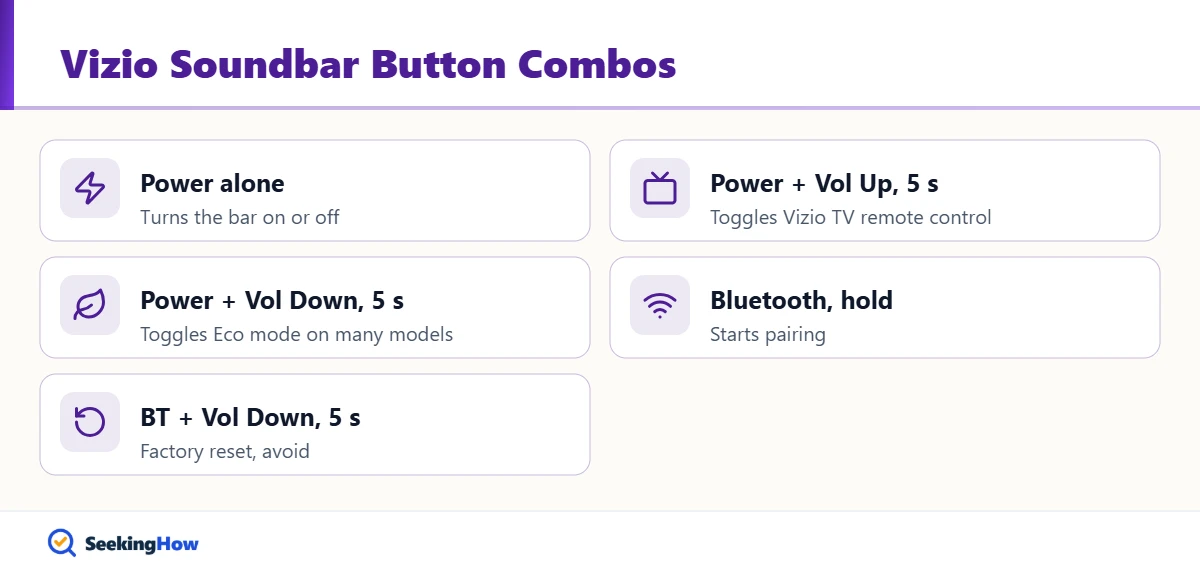
- Holding Bluetooth and Volume Down for 5 seconds is a factory reset, so avoid that combination when looking for power.
A missing remote does not lock you out of a Vizio soundbar. Vizio puts the main controls on the bar itself, and most models can follow the TV through HDMI-CEC or a Vizio TV remote. Here is how to turn on a Vizio soundbar without a remote and keep it working without one.
What You’ll Need
- Your Vizio soundbar and its power cord
- HDMI cable connected to the TV’s ARC or eARC port (for TV control)
- TV remote; a Vizio TV remote works best
- Universal remote that supports soundbars (optional)
- Flashlight to find low-contrast buttons (optional)
How To Turn On a Vizio Soundbar Without a Remote: Step-by-Step
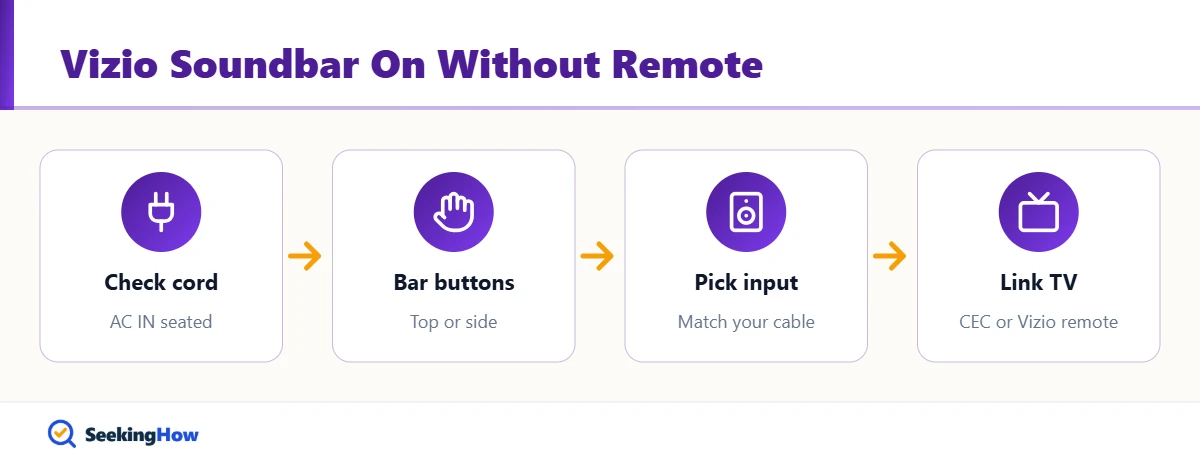
Step 1: Check the Power Connection
Make sure the power cord is pushed fully into the AC IN port on the back of the soundbar and plugged into a working outlet. A loose cord at the bar end is common after moving a TV stand. If the outlet is on a wall switch or power strip, make sure it is on.
Step 2: Locate the Buttons on the Bar
Look on the top surface first; on many models, such as the SB3830-D0, the Power, Input, Volume, and Bluetooth buttons are on top. Newer and slimmer bars often place them on the right or left side, and a few older models put them on the back. The power indicator is usually at the front left.
Step 3: Press Power Once
Press the Power button once and watch the front LEDs light up. Do not hold Power together with other buttons; Vizio uses two-button holds for settings, and Bluetooth plus Volume Down resets the bar. If the lights blink and go out, the bar may be in Eco standby and simply waiting for a signal.
Step 4: Select the Correct Input
Press Input on the bar until the indicator lands on the cable you are using: HDMI ARC, optical, Aux, or Bluetooth. On first setup, many Vizio bars search for an active input on their own. In practice, the wrong input is the most common reason a soundbar seems dead.
Step 5: Turn On Control From Your Vizio TV Remote
On many Vizio soundbars, holding Power and Volume Up together for 5 seconds toggles whether a Vizio TV remote can control the bar. With it enabled, pressing Volume Up on the Vizio TV remote can turn the soundbar on. Check your model’s quick start guide, since button combinations vary.
Step 6: Set Up HDMI-CEC
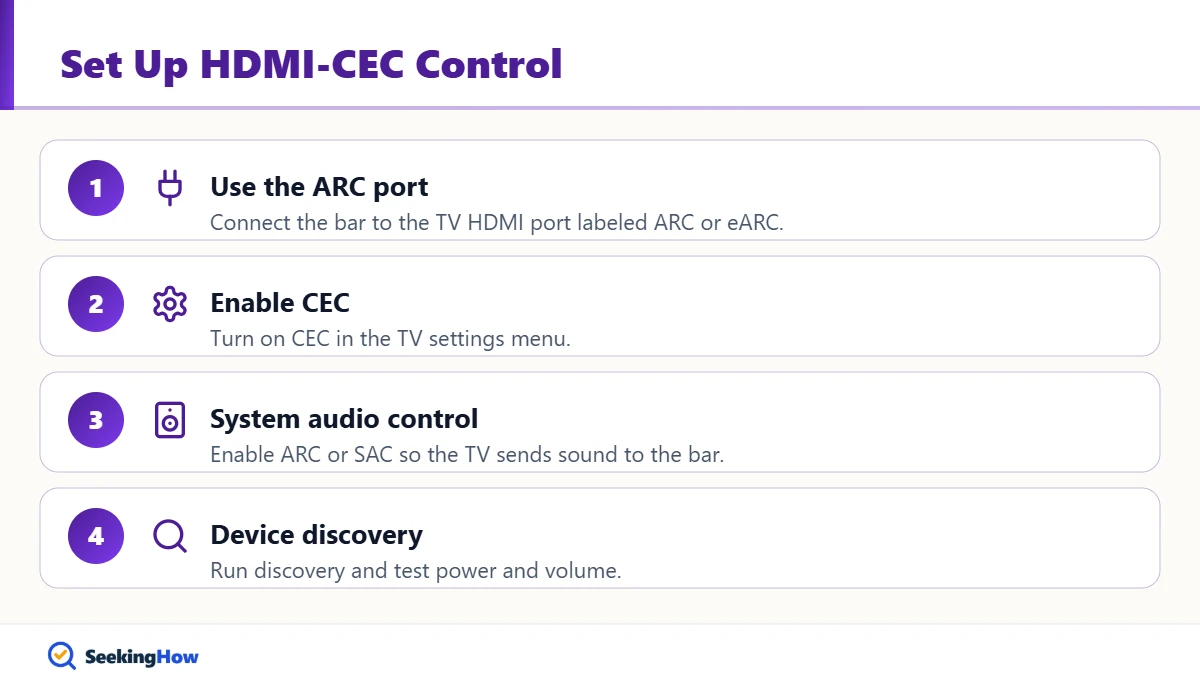
Connect the bar to the TV’s HDMI ARC or eARC port and turn on CEC and system audio control (sometimes called ARC or SAC) in the TV settings, then run device discovery. Your TV remote then controls the soundbar’s volume and, on most TVs, its power too. For other brands, see our guide to turning on an Onn soundbar without a remote.
Bottom line: Use the Power button on the bar to get sound now, then link the bar to your TV by HDMI-CEC or the Vizio remote setting so a lost remote never matters.
If That Didn’t Work
Problem: No lights at all. Cause: No power at the bar. Fix: Reseat the cord, try another outlet, and check for a tripped power strip.
Problem: The bar turns on, then shuts off. Cause: Eco or auto-standby turns it off when no audio is detected. Fix: Start audio on the TV right away, or turn off Eco mode with your model’s button combination.
Problem: Buttons do not respond. Cause: The bar’s software is frozen. Fix: Unplug for 60 seconds, then try again; if it still fails, see our guide to resetting a Vizio soundbar without a remote.
Problem: The TV remote will not control the bar. Cause: CEC is off or the HDMI cable is in a non-ARC port. Fix: Move the cable to the ARC port and enable CEC and system audio control.
| Method | Needs | Setup time | Best for |
|---|---|---|---|
| Power button on bar | Nothing | Seconds | Getting sound now |
| HDMI-CEC | HDMI ARC port | 5 minutes | Any CEC TV (recommended) |
| Vizio TV remote setting | Vizio TV remote | 1 minute | Vizio TV owners |
| Universal remote | Soundbar-capable remote | 10 to 15 minutes | Optical or Aux setups |
Safety and When To Get Help
Use only the original power cord or an exact Vizio replacement, and unplug the bar during thunderstorms if it is not on a surge protector. Stop using the soundbar if you smell burning, hear crackling from the power area, or see a damaged cord. Contact Vizio support with your model number if the bar shows no lights on a known-good outlet.
Prevention Tips
- Set up HDMI-CEC once so the TV remote handles everything.
- Write the model number somewhere handy for ordering a replacement remote.
- Keep the original remote in a fixed spot near the TV.
Related Guides
- How to turn on an Onn soundbar without a remote
- How to turn on a Sanyo soundbar without a remote
- LG TV says Wi-Fi is turned off: how to fix it
Sources
- Vizio SB3830-D0 Quick Start Guide: buttons, CEC, and Vizio remote control setting
- Vizio: soundbar support and manuals
Frequently Asked Questions
Where is the power button on a Vizio soundbar?
Most Vizio soundbars have the Power button on the top panel, grouped with Input, Volume, and Bluetooth. Newer slim models often place the buttons on the right or left side, and a few older bars use the back. The power indicator light is usually at the front left.
Can a Vizio TV remote turn on a Vizio soundbar?
Yes, on many models. Hold Power and Volume Up on the soundbar for 5 seconds to toggle Vizio TV remote control. With it enabled, pressing Volume Up on the Vizio TV remote can wake the bar. HDMI-CEC also lets most TV remotes control the soundbar.
Why does my Vizio soundbar turn off by itself?
Eco or auto-standby mode turns the bar off when it detects no audio for a while. Make sure the TV is sending sound to the bar and the correct input is selected. On many models, holding Power and Volume Down for 5 seconds toggles Eco mode.
Can I control a Vizio soundbar with my phone?
Some Vizio SmartCast and Wi-Fi models support control through Vizio or casting apps, but most basic Vizio soundbars do not. You can always stream music to the bar over Bluetooth after selecting Bluetooth on the bar, then adjust volume on the phone.
Will a universal remote work with a Vizio soundbar?
Yes. Most universal remotes that support soundbars include Vizio codes. Put the bar in standby, then run the remote code search or enter the Vizio soundbar code from the remote manual. Test power, input, and volume before tossing the setup sheet.
How do I change the input on a Vizio soundbar without a remote?
Press the Input button on the top or side of the soundbar repeatedly until the indicator shows the source you want, such as HDMI ARC, optical, Aux, or Bluetooth. On many models, holding Input for 3 seconds restarts the automatic input search.