Quick Answer
To turn on a Sanyo soundbar without the remote, press the power (standby) button on the soundbar itself, usually on the top, side or right end. If yours has no working button, enable HDMI-CEC on your TV and connect through the HDMI ARC port so the TV remote powers the soundbar, or program a universal remote. Unplugging for 60 seconds can also reset a stuck unit.
Key Takeaways
- Most Sanyo soundbars have a physical power button, often marked with a circle-and-line standby symbol.
- HDMI-CEC lets your TV remote turn the soundbar on and off and control volume over an HDMI ARC or eARC cable.
- A universal remote or a phone with an infrared blaster can replace a lost Sanyo remote.
- A solid red light usually means standby; no light at all points to a power supply or outlet problem.
- Check your model number on the back label before buying a replacement remote.
Losing the remote is the most common reason a soundbar sits silent. Sanyo soundbars are budget-friendly models built for simple setups, so the fix is usually just as simple. Below are every practical way to power yours on without the original remote, plus what to do when it still will not respond.
Where Is the Power Button on a Sanyo Soundbar?
Sanyo soundbars generally put a small row of buttons on the top panel or on one end of the bar. Look for a button with the standby symbol (a circle with a vertical line), often grouped with Input or Source and volume plus and minus buttons. On some slim models, the buttons are on the back near the power and audio jacks, so run your fingers along the rear edge if you cannot see them.
If the buttons are touch-sensitive rather than raised, tap firmly and hold for a second. Touch buttons can be hard to find in a dim room, so use your phone flashlight at an angle to spot the printed icons.
How Do You Turn On a Sanyo Soundbar Without the Remote?
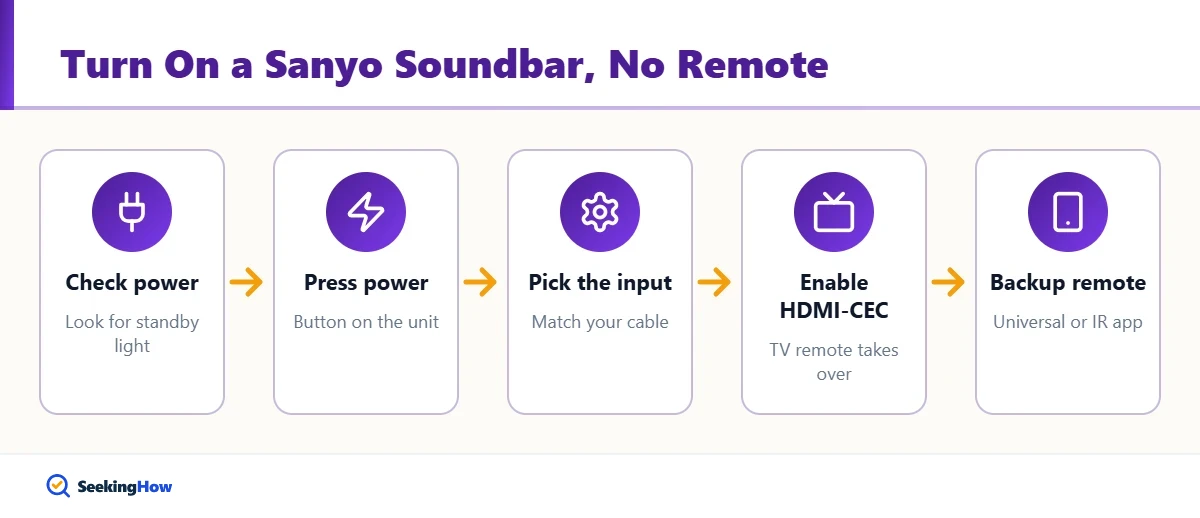
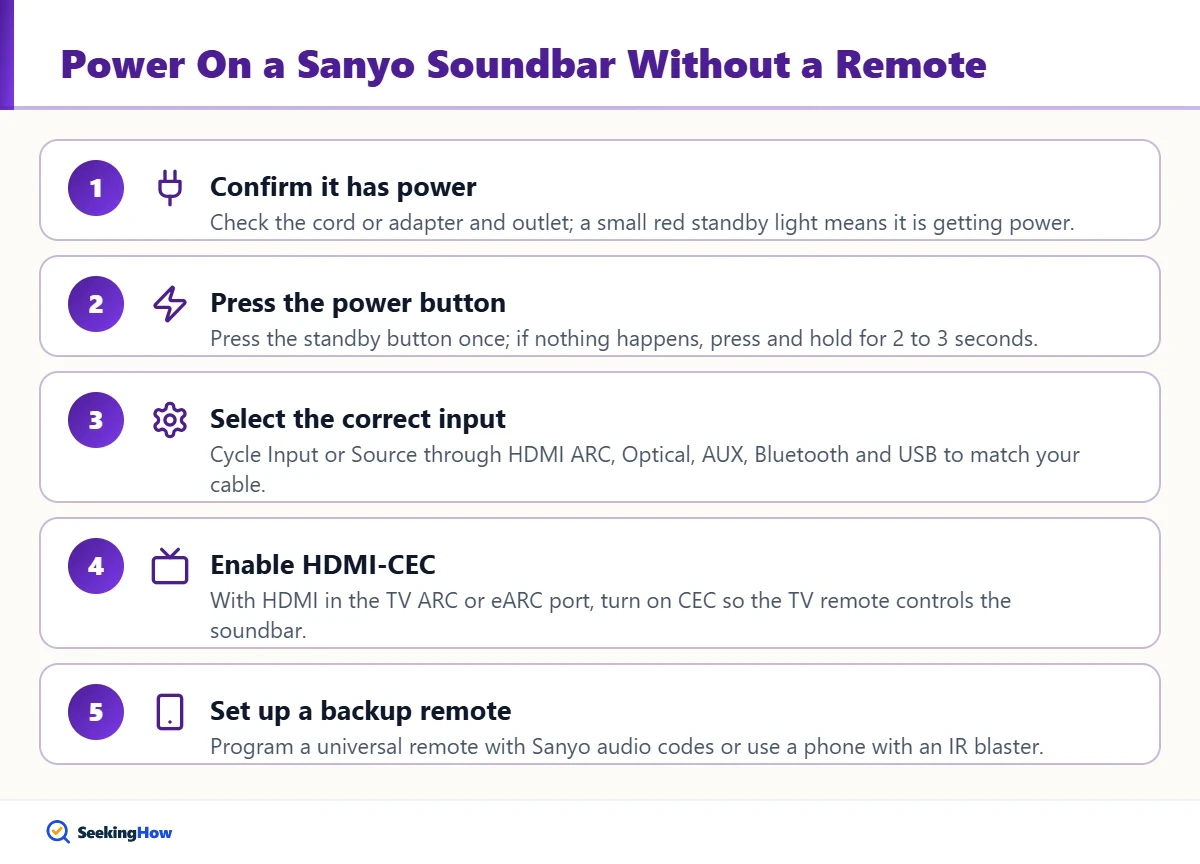
Step 1: Confirm the Soundbar Has Power
Make sure the power cord or AC adapter is firmly plugged into both the soundbar and a working wall outlet. Most soundbars show a small red standby light when they are receiving power. If you see no light at all, try a different outlet or bypass the power strip.
Step 2: Press the Power Button on the Unit
Press and release the standby button once. The light should change color, often from red to blue, green or white, or the display should show the current input. If nothing happens, press and hold for 2 to 3 seconds, since some models require a longer press.
Step 3: Select the Correct Input
Once it is on, press the Input or Source button on the soundbar to cycle through HDMI ARC, Optical, AUX, Bluetooth and USB until it matches the cable you use. A soundbar that is on but set to the wrong input looks like it is off because it plays nothing.
Step 4: Enable HDMI-CEC So the TV Remote Takes Over
If your soundbar connects to the TV with an HDMI cable in the TV port labeled ARC or eARC, turn on HDMI-CEC in the TV settings. Brands use their own names, such as Anynet+ on Samsung, SIMPLINK on LG, BRAVIA Sync on Sony and CEC on Vizio and many Roku and Google TV models. After enabling it, power-cycle both devices; the soundbar should now turn on with the TV and respond to TV volume buttons.
Step 5: Set Up a Universal Remote or Phone IR Remote
For full control, program a universal remote that lists Sanyo soundbar or audio codes in its manual, or use the code search mode that tries codes until the bar responds. Some Android phones have an infrared blaster that works with an IR remote app. A replacement remote matched to your model number is the most reliable long-term fix.
Which Method Should You Use?
| Method | What You Need | Controls | Best For |
|---|---|---|---|
| Power button on the soundbar | Nothing | Power, input, volume (on most models) | Quick fix tonight |
| HDMI-CEC via TV remote | HDMI cable in TV ARC/eARC port, CEC enabled | Power on/off with TV, volume, mute | Everyday use with one remote |
| Universal remote | Universal remote with audio device codes | Most functions once programmed | Replacing a lost remote cheaply |
| Phone IR remote app | Phone with an IR blaster | Varies by app and code set | Short-term backup |
| Replacement Sanyo remote | Remote matching your model number | All functions, including EQ and modes | Full original control |
Tip: The model number is printed on a label on the back or bottom of the soundbar. Search that number when buying a replacement remote; Sanyo-brand TVs and soundbars sold in the U.S. use different remotes even when they look similar.
Why Won’t My Sanyo Soundbar Turn On?
If pressing the button does nothing, work through these causes in order:
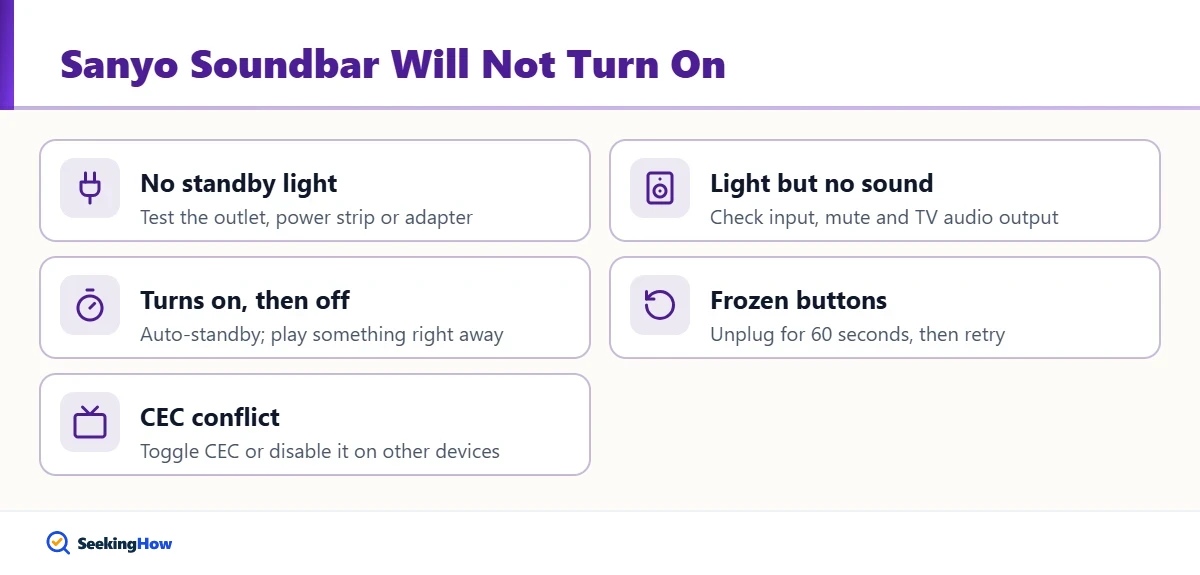
- No standby light: the outlet, power strip or AC adapter may be dead. Test the outlet with a lamp, and if your model uses an external adapter, check whether its own indicator lights up.
- Light on but no sound: the wrong input is selected, volume is at zero or muted, or the TV is still sending audio to its own speakers. In TV sound settings, choose external speaker, HDMI ARC or optical output.
- Turns on, then off: an auto-standby feature may shut it off when no signal arrives for several minutes. Play something on the TV right after powering on.
- Frozen or unresponsive buttons: unplug the soundbar for 60 seconds, plug it back in and try again. This clears most temporary glitches.
- CEC conflict: two devices fighting over CEC can make the bar switch off unexpectedly. Turn CEC off and on again or disable it on other connected devices.
If your TV is also misbehaving, our guide on what to do when an LG TV says Wi-Fi is turned off covers common smart TV settings fixes.
How Do You Reset a Sanyo Soundbar Without a Remote?
A power-cycle reset works on any model: unplug the soundbar, wait at least 60 seconds, then plug it back in and press the power button. Some soundbars also support a factory reset by holding a combination of on-unit buttons, but the exact combination varies by model. Check the user manual for your model number before trying button combinations, since holding the wrong ones may simply change modes.
After a reset, re-pair any Bluetooth devices and confirm your TV’s audio output setting points to the soundbar again.
How Do You Connect a Sanyo Soundbar for the Easiest Control?
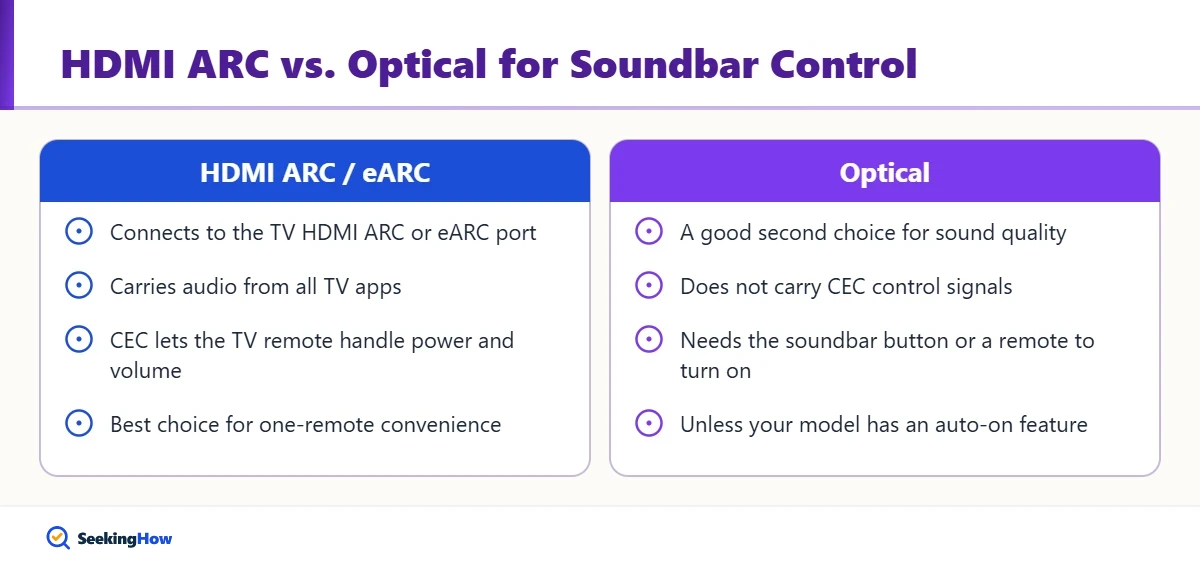
For one-remote convenience, connect with an HDMI cable from the soundbar’s HDMI ARC port to the TV’s HDMI ARC or eARC port. This carries audio from all TV apps and lets CEC handle power and volume. Optical is a good second choice for sound quality, but optical cables do not carry CEC control, so you will still need the soundbar button or a remote to switch it on unless your model has an auto-on feature.
Bluetooth is convenient for phones, but it usually requires the soundbar to already be on and set to Bluetooth mode, so it is not a way to wake it up. If you stream through apps, our guide to canceling Fubo is handy when you are trimming streaming services.
When Should You Replace or Repair the Soundbar?
If the soundbar shows no standby light on a known-good outlet, the internal power supply or external adapter may have failed. A replacement adapter with the exact same voltage, amperage and plug polarity printed on the original label can fix the problem. If the soundbar is still under warranty, contact the seller or the brand’s support line before opening anything. Do not open the case yourself while it is plugged in; power supply components can hold a charge.
Frequently Asked Questions
Can I control my Sanyo soundbar with my TV remote?
Yes, if the soundbar is connected to the TV HDMI ARC or eARC port and HDMI-CEC is enabled on the TV. Then the TV remote can turn the soundbar on and off and adjust volume. Optical connections do not support CEC, so they cannot pass these commands.
Is there an app for Sanyo soundbars?
Most Sanyo soundbars are basic models without a dedicated control app. You can use a generic IR remote app if your phone has an infrared blaster, and Bluetooth lets you play audio from your phone once the soundbar is on and set to Bluetooth mode.
What does the red light on a Sanyo soundbar mean?
On most soundbars a steady red light means the unit has power and is in standby. Press the power button on the soundbar or use CEC to wake it. If the light blinks or the soundbar will not wake, unplug it for 60 seconds and try again.
Why does my Sanyo soundbar turn off by itself?
Many soundbars have an auto-standby feature that switches them off after several minutes without an audio signal. It can also happen when HDMI-CEC tells it the TV turned off. Make sure the TV is sending audio and try toggling CEC if shutdowns seem random.
Will any universal remote work with a Sanyo soundbar?
Not every universal remote includes soundbar codes for Sanyo. Look for one that lists Sanyo under audio or soundbar devices, or that offers automatic code search. If programming fails, a replacement remote that matches your soundbar model number is the most dependable option.