Quick Answer
To turn on an Onn soundbar without a remote, press the Power button on the soundbar itself, usually on the top or right end panel next to the Source and volume buttons. If no button responds, connect the Onn soundbar to the TV’s HDMI ARC port and turn on HDMI-CEC so the TV powers it on automatically. Checking takes about 5 minutes; confirm the power adapter is plugged in and the status light glows red in standby.
Key Takeaways
- Onn soundbars have physical Power, Source, and volume buttons on the unit, so a remote is not required.
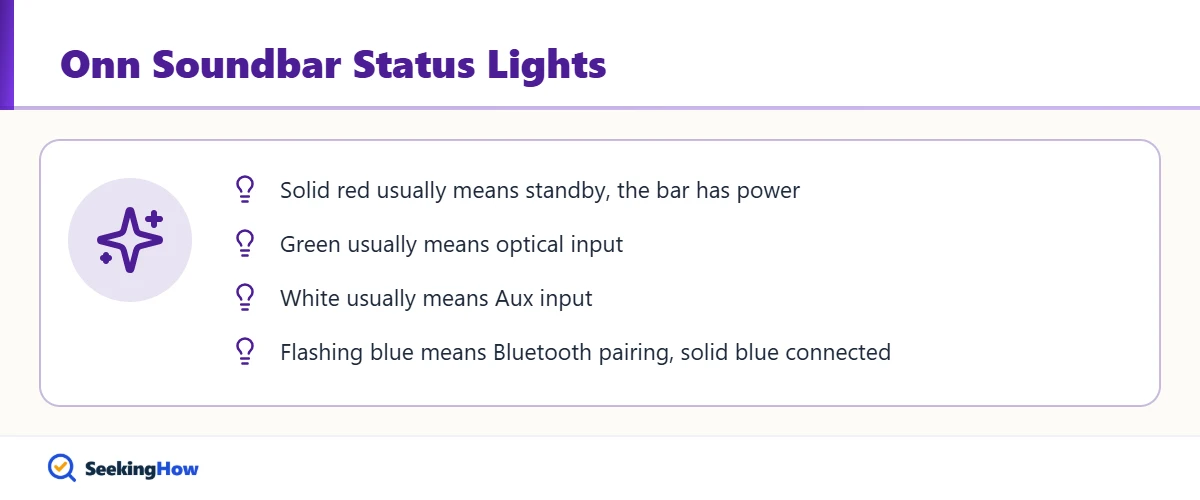
- A solid red status light on many Onn soundbars means standby, so the bar has power and is ready to turn on.
- HDMI ARC with CEC lets the TV switch the soundbar on and off with the TV.
- A TV remote or universal remote can often control the soundbar through CEC or by learning its IR codes.
- Replacement Onn remotes on many models use a CR2025 coin battery.
Remotes for budget soundbars go missing fast, and Onn models from Walmart are no exception. You can still turn on an Onn soundbar without a remote using the buttons on the bar, your TV’s HDMI-CEC control, or a universal remote. Start with the buttons; they work on every model.
What You’ll Need
- Your Onn soundbar and its power adapter
- HDMI cable that supports ARC (for TV auto-on)
- TV remote, ideally for a TV with HDMI-CEC
- Universal remote that supports soundbars (optional)
- Flashlight to read small labels on the bar (optional)
How To Turn On an Onn Soundbar Without a Remote: Step-by-Step
Step 1: Confirm the Soundbar Has Power
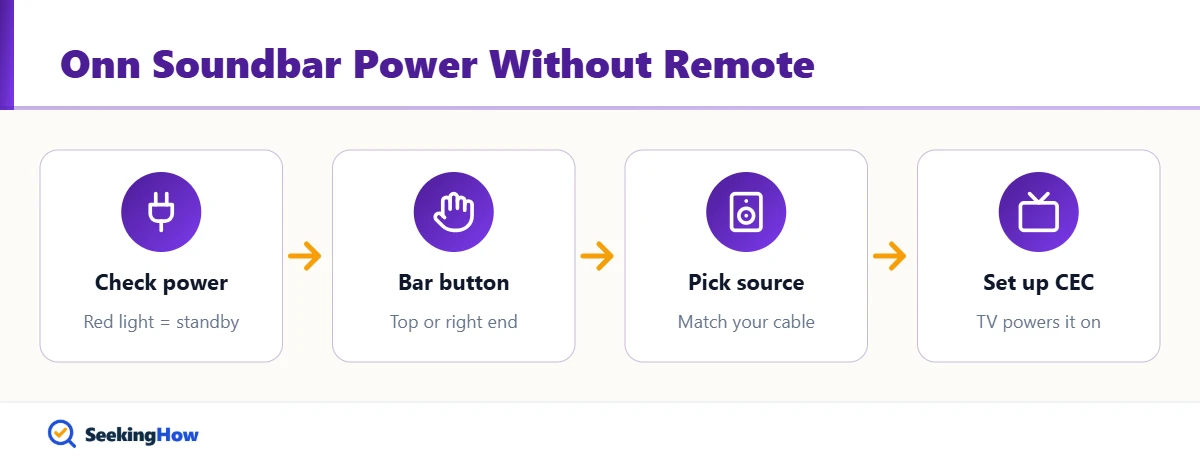
Check that the power adapter is firmly in the jack on the back of the bar and plugged into a working outlet, not a switched outlet that is off. On many Onn 2.0 soundbars, a solid red status light means standby. No light at all means no power, so try another outlet before anything else.
Step 2: Find the Power Button on the Bar
Look on the top surface and the right end of the soundbar for small buttons or touch icons labeled with the power symbol, Source, and plus and minus volume. Some models put them on the back near the inputs. Shine a flashlight across the bar; low-contrast icons are easy to miss.
Step 3: Press and Hold Power
Press the Power button once firmly. If nothing happens, hold it for 2 to 3 seconds; some touch buttons need a longer press. The status light changes from red to a source color, such as green for optical or blue for Bluetooth.
Step 4: Pick the Right Input With Source
Press Source on the bar until the light matches the cable you used: optical, Aux, HDMI ARC, or Bluetooth. A soundbar that is on but on the wrong input looks like it is not working. For pairing a phone in Bluetooth mode, stay within about 3 feet the first time.
Step 5: Set Up HDMI-CEC for Automatic Power
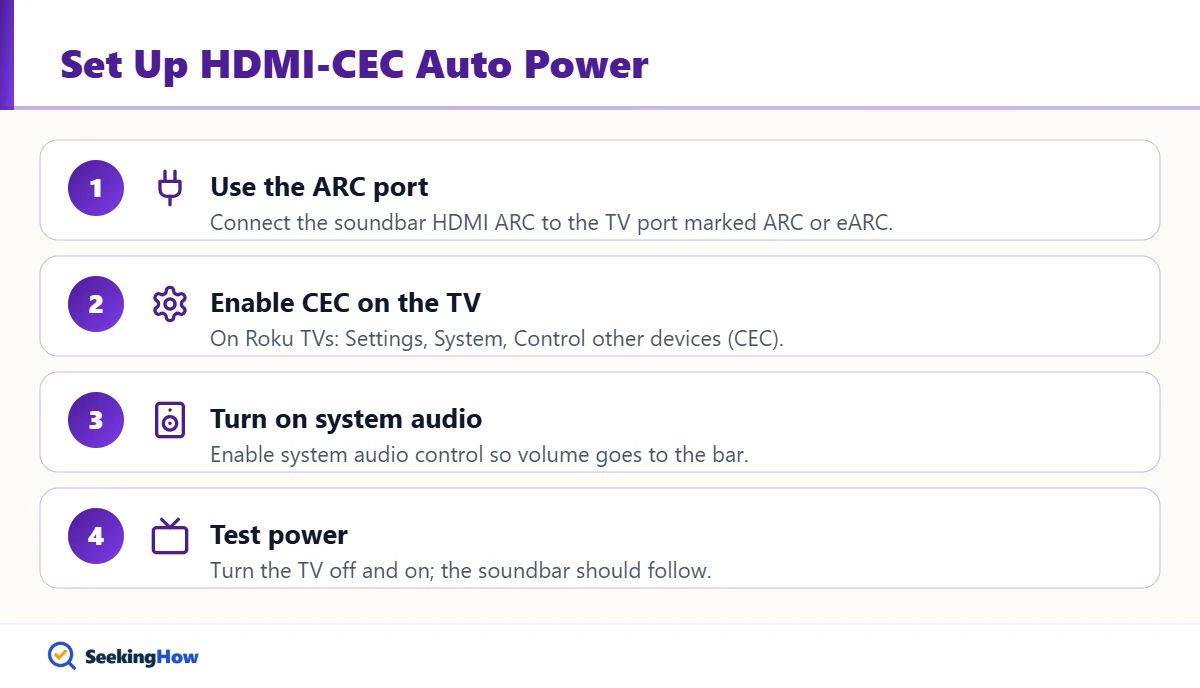
If your model has an HDMI ARC port, connect it to the TV port labeled ARC or eARC and enable CEC in the TV settings. On Onn and other Roku TVs, look under Settings, System, Control other devices (CEC), and turn on system audio control. Then the soundbar wakes when the TV turns on, and the TV remote controls volume.
Step 6: Program a Universal Remote (Optional)
Many universal remotes and some TV remotes can learn or search for soundbar IR codes. Follow the remote’s code-search steps with the soundbar in standby. In practice, a CEC-capable TV remote is the easiest replacement because it needs no codes.
Bottom line: Use the button on the bar to turn it on today, and set up HDMI ARC with CEC so you never need the soundbar remote again.
If That Didn’t Work
Problem: No status light at all. Cause: A loose adapter, bad outlet, or failed power supply. Fix: Reseat both ends and test another outlet; a failed adapter needs a matching replacement.
Problem: The bar turns on but there is no sound. Cause: The wrong input or TV audio set to internal speakers. Fix: Press Source and set TV audio output to the external or optical device.
Problem: The soundbar will not turn on with the TV. Cause: CEC is off or the cable is in a non-ARC port. Fix: Move the HDMI cable to the ARC port and enable CEC.
Problem: Buttons do nothing. Cause: The bar is frozen. Fix: Unplug it for 60 seconds, plug it back in, and press Power again.
| Method | Works on | Setup time | Best for |
|---|---|---|---|
| Power button on bar | All Onn soundbars | Seconds | Immediate fix |
| HDMI ARC with CEC | Models with HDMI ARC | 5 minutes | Everyday use (recommended) |
| Universal remote | Most IR models | 10 to 15 minutes | Optical or Aux setups |
| Replacement Onn remote | Matching model | Shipping time | Full feature control |
Safety and When To Get Help
Use only the power adapter that came with the soundbar or an exact replacement with the same voltage, polarity, and connector; a mismatched adapter can damage the bar or overheat. Stop using it if the adapter or bar smells hot, buzzes, or shows scorch marks. Contact Walmart or the support information in your Onn manual if the bar is under warranty and still will not power on.
Prevention Tips
- Set up CEC once so the TV remote handles power and volume.
- Keep the remote in a fixed spot or a holder on the TV stand.
- Keep a spare coin battery of the type your remote uses.
Related Guides
- How to turn on a Sanyo soundbar without a remote
- LG TV says Wi-Fi is turned off: how to fix it
- How to cancel a Fubo subscription
Sources
- Onn 2.0 Channel Soundbar user guide (via Manuals+): controls and status lights
- Roku Support: HDMI-CEC and system audio control on Roku TVs
- Walmart: Onn product support and warranty information
Frequently Asked Questions
Where is the power button on an Onn soundbar?
On most Onn soundbars, the Power button sits on the top surface or the right end panel, grouped with Source and volume buttons. Some models place controls on the back near the inputs. The icons are small and low-contrast, so a flashlight held at an angle helps you find them.
Can I use my TV remote to control my Onn soundbar?
Yes, if the soundbar connects by HDMI ARC and your TV has HDMI-CEC turned on. The TV then sends power and volume commands through the HDMI cable. With optical or Aux connections, CEC does not work, so you need the bar buttons or a universal remote.
Why is my Onn soundbar light red?
A solid red light usually means the soundbar is in standby with power connected. Press the Power button on the bar to turn it on. If the light stays red and the buttons do not respond, unplug the bar for 60 seconds and try again.
Is there an app to control an Onn soundbar?
Most basic Onn soundbars do not have a dedicated control app. You can stream audio over Bluetooth from a phone, but power, input, and settings changes come from the bar buttons, the original remote, or the TV through HDMI-CEC.
How do I make my Onn soundbar turn on automatically with the TV?
Connect the soundbar to the TV HDMI ARC or eARC port and enable HDMI-CEC in the TV settings. On Roku TVs, the option is under Control other devices (CEC), along with system audio control. Then the bar follows the TV power.
Where can I get a replacement Onn soundbar remote?
Walmart and online marketplaces sell replacement remotes; match the model number printed on the label on the back or bottom of the soundbar. Many universal remotes also work if they support soundbars. Check the battery type before buying spares.