Quick Answer
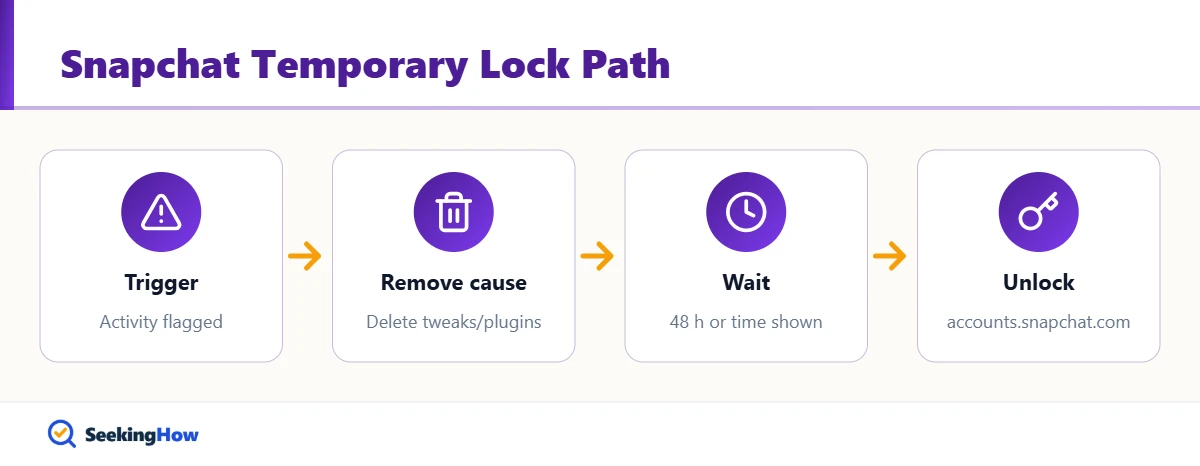
A Snapchat account is usually temporarily locked because Snapchat detected suspicious activity, such as too many login attempts or mass friend requests, an unofficial third-party app or plugin, a possible hack, or a Community Guidelines issue. Remove any unofficial apps, wait 48 hours (or the time shown in the lock message), then select Unlock at accounts.snapchat.com.
Key Takeaways
- Snapchat temporarily locks accounts for suspicious activity, third-party apps, possible compromise, banned devices or rule violations.
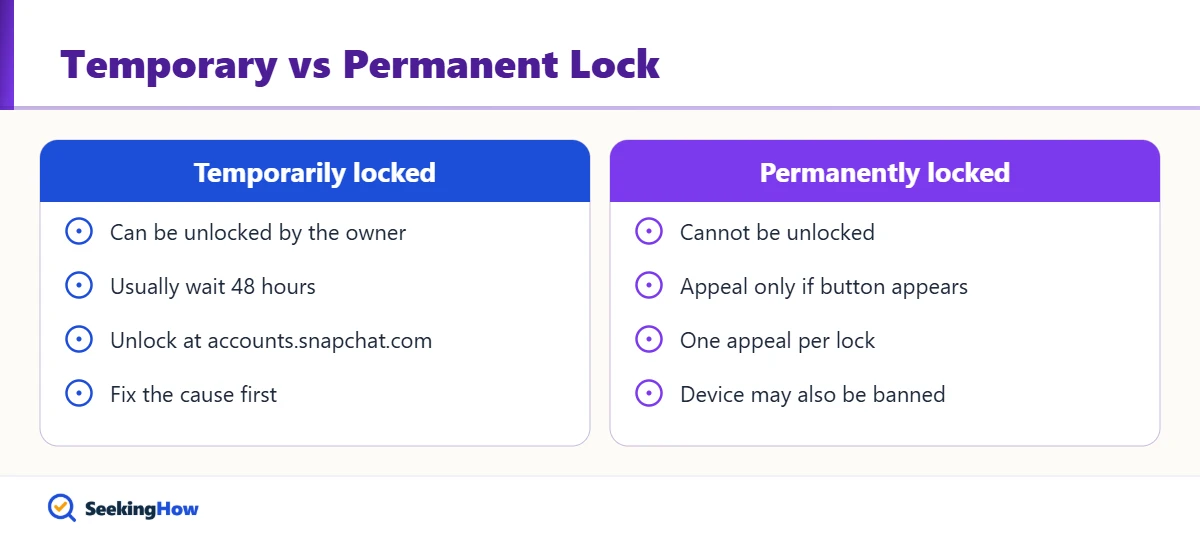
- A “temporarily locked” message can be undone; a “permanently locked” message cannot.
- For most temporary locks, Snapchat Support says to wait 48 hours before logging in again.
- Third-party app locks list their own end time in the app error or the account email.
- Appealable locks show an Appeal Decision button in the app, and each lock can be appealed only once.
- Nobody outside Snapchat can unlock your account; paid “unlock services” are scams.
A temporary lock is Snapchat’s automated safety brake, and the reason behind it decides how fast you get back in. This guide explains why your Snapchat account is temporarily locked, how to tell which trigger caused it from the message you see, and the exact fix and wait time for each, based on Snapchat Support guidance as of 2026.
What You’ll Need
- Your Snapchat username or email and password
- Access to the email address and phone number on the account
- A web browser for accounts.snapchat.com
- The latest official Snapchat app from the App Store or Google Play
Why Is My Snapchat Account Temporarily Locked? The 6 Common Causes
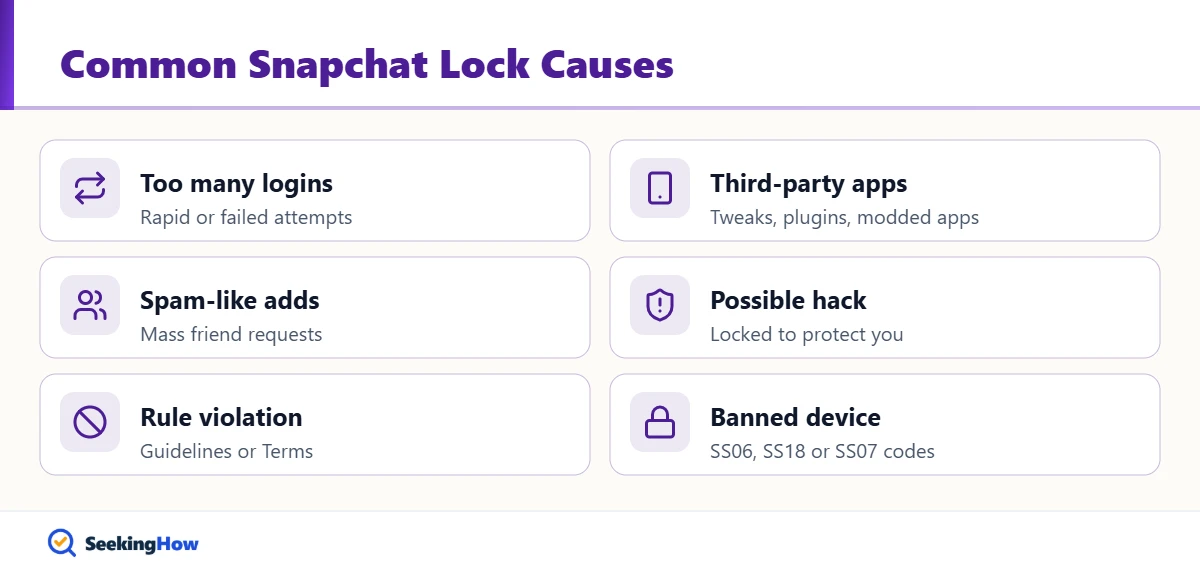
1. Too Many Login Attempts
Repeated failed or rapid logins in a short period trigger a temporary disable. Snapchat Support’s fix is to wait 48 hours, then sign in once with the correct details instead of retrying over and over.
2. Unofficial Third-Party Apps, Tweaks or Plugins
Using a modified Snapchat app or a plugin that accesses your account locks it. Snapchat names examples such as Wicked and IOTA, but the list is not exhaustive. The lock message or account email shows exactly when the lock ends.
3. Spam-Like Activity
Sending excessive friend requests to many Snapchatters in a short time looks like spam to Snapchat’s systems. In practice, a burst of adds after importing contacts or using a “quick add” growth trick is a frequent trigger.
4. Possible Hack or Compromise
If Snapchat sees signs someone else accessed your account, it locks the account to protect it. You may also notice password-change emails you didn’t request or friends receiving odd messages.
5. Community Guidelines or Terms Violations
Content or behavior that breaks Snapchat’s rules can lead to a lock. These locks may be temporary or permanent, and some are eligible for an in-app appeal.
6. A Banned Device or a Problem on Another Account
Logging in from a device Snapchat has banned locks the account, and a violation on one of your multiple accounts can block Snapchat on your device for a while. Error codes SS06 or SS18 mean the device itself is banned, and SS07 means too many accounts are linked to it.
How To Fix a Temporarily Locked Snapchat Account: Step-by-Step
Step 1: Read the Exact Lock Message
Note whether it says “temporarily locked” or “permanently locked,” any end time, any error code, and whether an Appeal Decision button appears. This tells you which fix applies and saves you from waiting on a lock that can’t be lifted.
Step 2: Remove Unofficial Apps and Update Snapchat
Delete any modified Snapchat app, tweak or plugin, then install the latest official Snapchat app. Trying to unlock while an unofficial app is still installed is the most common reason the lock returns.
Step 3: Wait Out the Lock Period
Wait 48 hours for a general temporary lock or login-attempt lock, or until the end time shown for a third-party app lock. Avoid repeated login attempts during the wait, because they can extend the problem.
Step 4: Unlock at accounts.snapchat.com
In a web browser, sign in at accounts.snapchat.com and select Unlock if it appears. Then log in to the app normally. For a full walkthrough, see how to unlock a locked Snapchat account.
Step 5: Appeal or Contact Support if Eligible
If an Appeal Decision button appears, tap it and submit once; reviews can take up to 30 days. If you think the account was hacked, use the Snapchat Support Bot or the help.snapchat.com contact form.
Bottom line: Fix the trigger first, wait the full lock period, then unlock once at accounts.snapchat.com.
Lock Types at a Glance
| Lock cause | Typical wait | How to fix | Can it be undone? |
|---|---|---|---|
| Too many login attempts | 48 hours | Wait, then log in once | Yes |
| Third-party app or plugin | Time shown in message or email | Remove app, update Snapchat, wait | Yes |
| Suspicious activity or spam | 48 hours | Wait, then Unlock at accounts.snapchat.com | Usually |
| Possible compromise | Varies | Support Bot, secure your email | Usually |
| Guidelines violation | Varies; appeal review up to 30 days | Appeal Decision in app, once | Only if temporary or appeal succeeds |
If That Didn’t Work
Problem: No Unlock option at accounts.snapchat.com. Cause: The lock period hasn’t ended or the lock is not owner-unlockable. Fix: Wait the full period, then check again; if the message says permanent, it cannot be unlocked.
Problem: The account locks again right after unlocking. Cause: An unofficial app or plugin is still installed. Fix: Remove every tweak, reinstall the official app and wait out the new lock.
Problem: Error SS06, SS18 or SS07. Cause: Device ban or too many linked accounts. Fix: These are device-level blocks, not account locks; you cannot create accounts on a banned device.
Problem: Appeal denied. Cause: Snapchat upheld the decision. Fix: Each lock can be appealed only once; you can still request your data at accounts.snapchat.com under My Data where available.
Safety and When To Contact Support
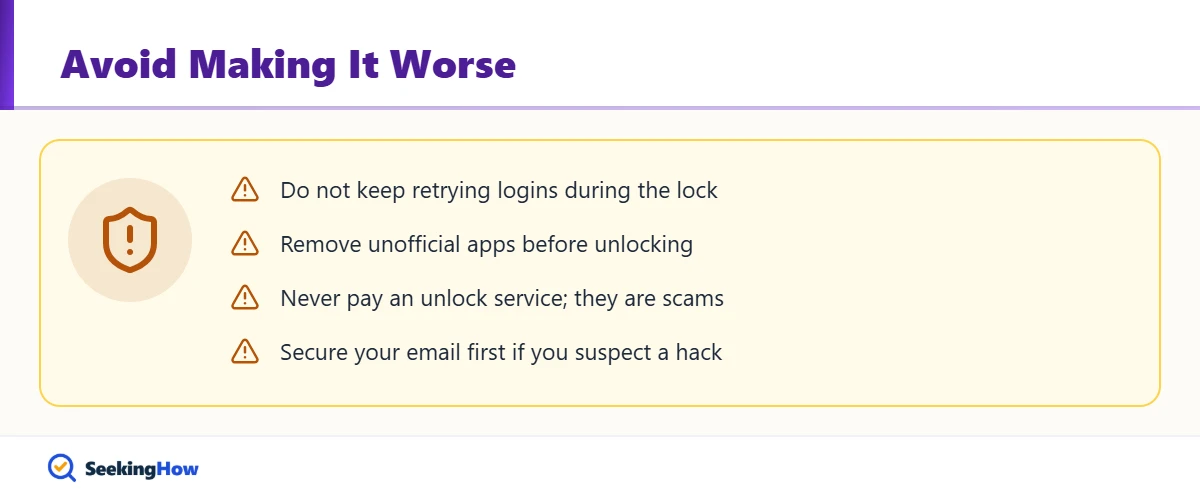
Contact Snapchat Support right away if you see password or email changes you didn’t make, friends report spam from your account, or you can’t access the email on file. Change the password on your email account first, since whoever controls it can reset Snapchat. Never pay anyone or share your login with a person or website claiming they can unlock Snapchat; Snapchat says only you or an in-app appeal can unlock an account.
Prevention Tips
- Verify both your email and phone number on the account.
- Turn on two-factor authentication in Snapchat settings.
- Use only the official Snapchat app, never modified versions or plugins.
- Add friends gradually rather than in large bursts.
Related Guides
- How to unlock a locked Snapchat account: official steps
- LG TV says Wi-Fi is turned off: network fixes
- How long Casetify takes to ship
Sources
- Snapchat Support: My Snapchat account is locked
- Snapchat Support: My access has been temporarily disabled
- Snapchat Support: Account locked for violating Community Guidelines
Frequently Asked Questions
How long does a temporary Snapchat lock last?
For most temporary locks, including too many login attempts, Snapchat Support says to wait 48 hours before logging in again. Locks caused by third-party apps show their own end time in the app error message or the account email, so check those for the exact duration.
Can I unlock my Snapchat account early?
Generally no. The lock has to run its course, and repeated login attempts during the wait can make things worse. Use the time to remove unofficial apps, update Snapchat and secure your email, then unlock once at accounts.snapchat.com.
Why did Snapchat lock my account for no reason?
There is almost always a trigger, even if it is not obvious: a modified app or plugin, many friend requests in a short time, login attempts from a new device, or signs that someone else accessed the account. A violation on another account you own can also block your device.
Will I lose my Snaps and Memories if my account is locked?
Not from a temporary lock; your account and Memories return once it is unlocked. For locked accounts, Snapchat lets you request a data download at accounts.snapchat.com under My Data, although some locked account types may not have data available.
What does error code SS07 mean on Snapchat?
SS07 means your device is blocked from logging in because too many accounts are linked to it. SS06 and SS18 mean the device has been banned for abuse or repeated violations, which also prevents creating new accounts on that device.
How do I appeal a Snapchat lock?
Open the Snapchat app, try to log in, and tap Appeal Decision on the pop-up if it appears. If there is no such button, the lock is not appealable. Each lock can be appealed only once, and reviews can take up to 30 days.
Can a third-party service unlock my Snapchat account?
No. Snapchat says only the account owner or an in-app appeal can unlock an account. Anyone who asks for payment or your password to unlock Snapchat is running a scam and may take over the account.