Quick Answer
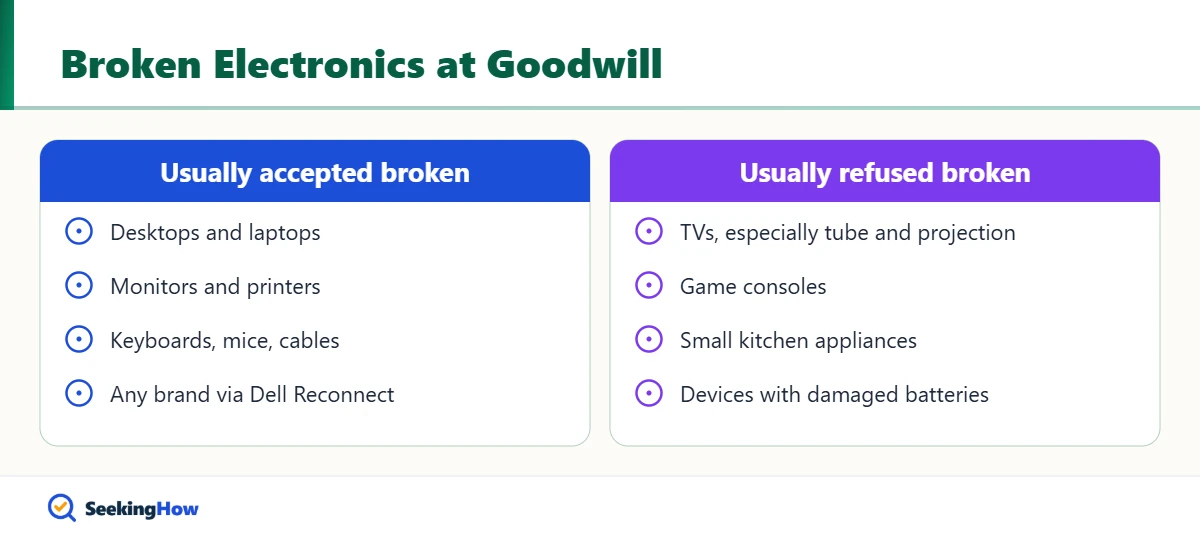
Goodwill accepts broken computer equipment of any brand at participating locations through the Dell Reconnect recycling program, including laptops, desktops, monitors, printers, keyboards and mice. Goodwill generally does not accept other broken electronics, such as TVs, game consoles or small appliances, for resale. Wipe your data first and call your local Goodwill, since policies vary by region.
Key Takeaways
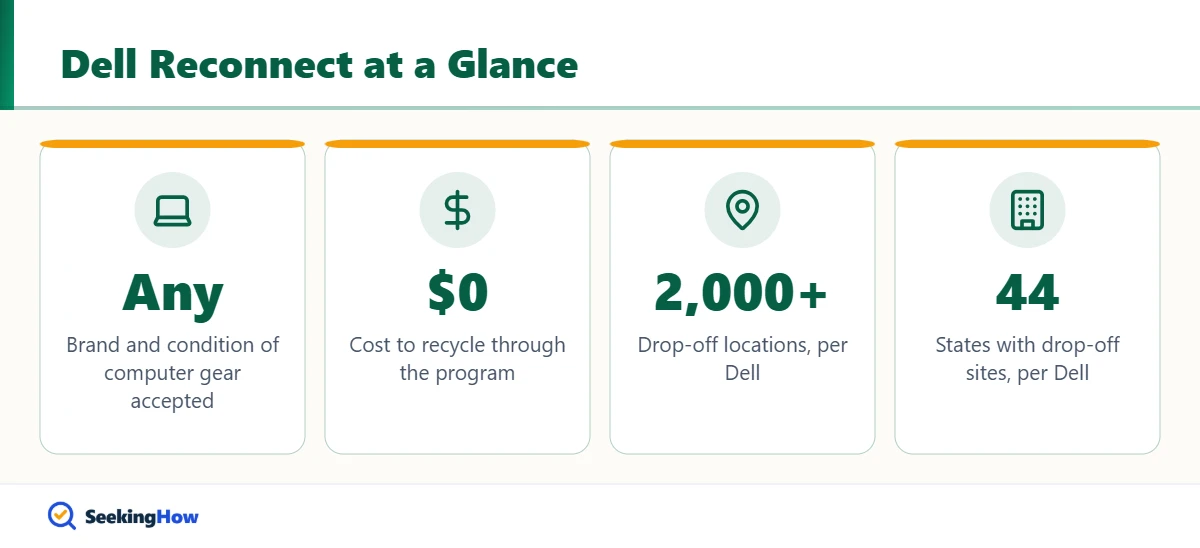
- Dell Reconnect lets Goodwill accept computer equipment of any brand in any condition, free of charge.
- Dell says Dell Reconnect partners with about 75 Goodwill organizations at more than 2,000 drop-off sites in 44 states.
- Broken TVs, especially tube and projection TVs, are commonly refused by thrift stores.
- Erase your data and sign out of accounts before donating any computer or phone.
- Electronics Goodwill won’t take can go to retailer take-back programs or local e-waste recyclers.
Goodwill wants items it can resell, and a broken TV or dead game console usually costs a store money to throw away. Computers are the big exception. This guide explains exactly when Goodwill accepts broken electronics, which items to take elsewhere, and how to prepare devices so your data stays private, as of 2026.
What You’ll Need
- Your device and its power cord or charger, if you still have it
- A backup drive or cloud account for files you want to keep
- The device’s reset instructions or factory reset menu
- A small screwdriver to remove a hard drive (optional)
- Your local Goodwill’s phone number or website
What Goodwill Accepts When It’s Broken
| Item | Broken accepted? | Where it goes |
|---|---|---|
| Desktops and laptops | Yes, at Dell Reconnect locations | Refurbished or recycled |
| Monitors, printers, scanners | Yes, at Dell Reconnect locations | Recycled if not reusable |
| Keyboards, mice, computer speakers, cables | Yes, at Dell Reconnect locations | Recycled if not reusable |
| Cell phones | Varies by location | Check locally |
| TVs | Usually no | E-waste recycler or retailer |
| Game consoles, small appliances | Usually no if broken | Recycler or manufacturer program |
How To Donate Broken Electronics to Goodwill: Step-by-Step
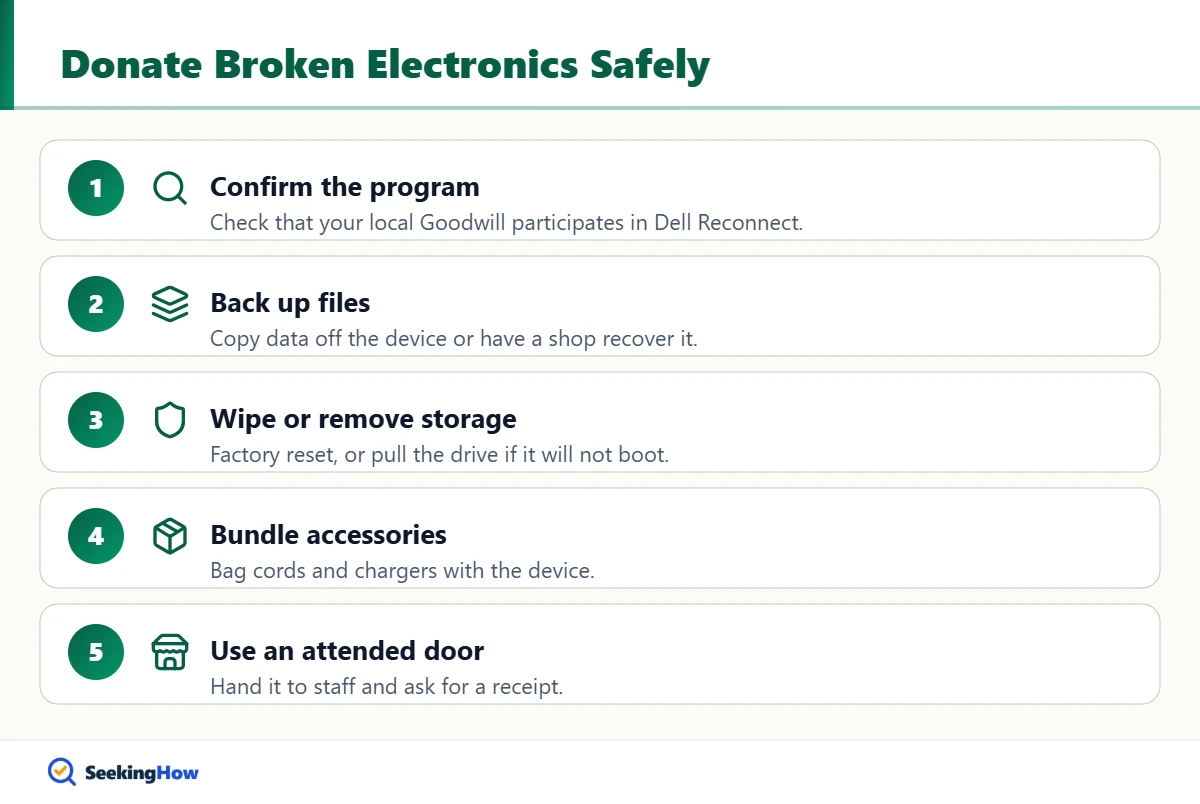
Step 1: Confirm Your Goodwill Takes Computers
Look up your local Goodwill on goodwill.org or Dell’s Dell Reconnect page and confirm the donation center participates. Goodwill organizations are independently run, so a store two towns over may follow different rules.
Step 2: Back Up Your Files
If the device still powers on, copy photos and documents to a backup drive or cloud storage. If it won’t boot, a repair shop can often pull files from the drive before you donate.
Step 3: Wipe or Remove the Storage
Sign out of accounts, disable device-finding features, and run the factory reset. If the computer won’t turn on, remove the hard drive or SSD and keep or physically destroy it; skipping this step is the biggest privacy mistake donors make.
Step 4: Bundle Cords and Parts
Put the power cord, charger and accessories in a bag with the device. Complete sets are more likely to be refurbished and resold instead of recycled.
Step 5: Drop Off at an Attended Donation Door
Hand electronics to an attendant instead of leaving them outside after hours. Ask for a receipt if you plan to deduct the donation, and remember that a broken item’s fair market value is usually very low.
Bottom line: Take broken computer gear to a Dell Reconnect Goodwill; take broken TVs and other electronics to a certified e-waste recycler or retailer take-back program.
Where To Take Electronics Goodwill Won’t Accept
- Retailer take-back programs: Some electronics retailers accept many devices for recycling, sometimes with limits or fees for TVs.
- Manufacturer programs: Many phone, computer and TV makers run mail-in or drop-off recycling.
- City or county e-waste events: Many communities hold free or low-cost collection days.
- Certified recyclers: Look for e-Stewards or R2 certification so devices are handled responsibly.
Bulky items like tires follow similar rules; see how to dispose of used tires for the local-program approach.
If That Didn’t Work
Problem: The Goodwill attendant refuses your broken TV. Cause: The store can’t resell it and must pay to recycle it. Fix: Use a retailer take-back program or a county e-waste day.
Problem: Your local Goodwill doesn’t participate in Dell Reconnect. Cause: Not every Goodwill organization joins. Fix: Use Dell’s locator to find another participating site or Dell’s mail-back recycling options.
Problem: The device won’t power on to reset. Cause: Hardware failure. Fix: Remove the storage drive; for phones and tablets with built-in storage, use the manufacturer’s recycling program, which typically wipes or destroys data.
Problem: A TV seems broken but may just have a setting issue. Cause: Network or input problems, not hardware. Fix: Troubleshoot first, as in LG TV says Wi-Fi is turned off; a working TV is far easier to donate.
Safety and When To Call a Pro
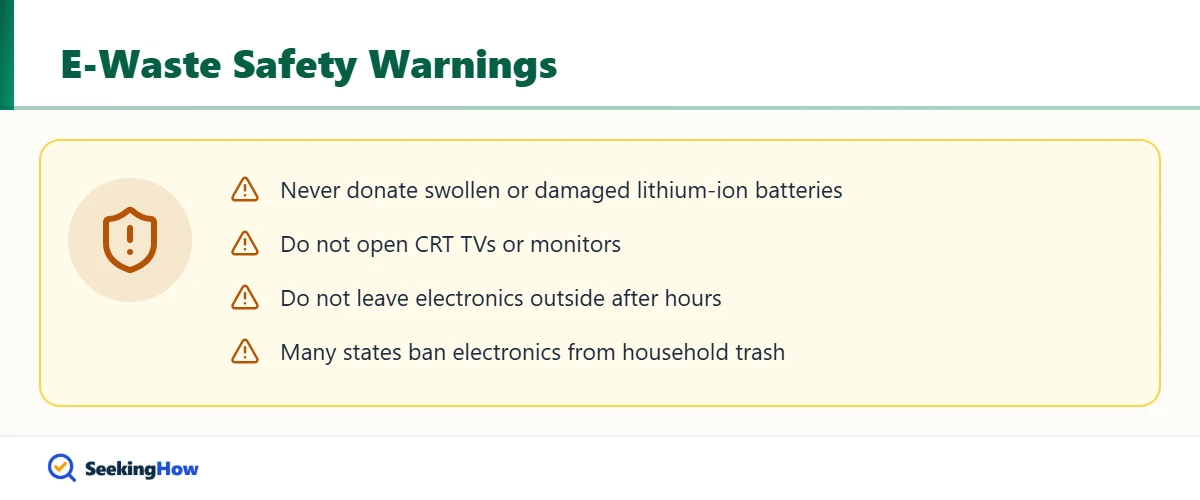
Never donate or throw away a device with a swollen, punctured or hot lithium-ion battery. Put it in a cool place away from anything flammable and take it to a battery or household hazardous waste drop-off, since damaged lithium batteries can ignite. Don’t open CRT TVs or monitors, which contain high-voltage parts and leaded glass; take them to a certified e-waste recycler. Many states ban electronics from household trash.
Prevention Tips
- Donate working electronics while they still work, so they can be resold rather than recycled.
- Keep chargers and cords with devices you plan to donate.
- Factory reset devices as soon as you replace them, before they fail.
Related Guides
Sources
- Dell Technologies: Dell Reconnect recycling program
- Goodwill Industries International: store locator and donation guidelines (goodwill.org)
- U.S. EPA: electronics donation and recycling (epa.gov/recycle)
Frequently Asked Questions
Does Goodwill take broken TVs?
Usually not. Most Goodwill stores refuse broken TVs because they cannot resell them and must pay to recycle them, and tube or projection TVs are commonly refused even when working. Take a broken TV to a retailer take-back program, manufacturer program or county e-waste collection.
Does Goodwill take broken laptops?
Yes, at locations that participate in Dell Reconnect. The program accepts computer equipment of any brand in any condition, free of charge. Back up and erase your data or remove the drive before you drop it off.
Does Goodwill wipe hard drives?
Dell Reconnect partners handle donated computers through refurbishing and recycling processes, but you should not rely on anyone else to protect your data. Factory reset the device or remove and keep the storage drive before donating.
Can I get a tax deduction for donating broken electronics?
You can request a receipt, but a broken item usually has very little fair market value, so the deduction is typically small. IRS rules require valuing donated goods at fair market value, and you must itemize deductions to claim it.
Does Goodwill take broken cell phones?
Policies vary by location. Some Goodwill sites accept phones for recycling, and Dell lists cell phones among items accepted through Dell Reconnect. Sign out of your accounts, turn off device-finding, and factory reset or remove storage first.
Does Goodwill accept old printers and ink?
Printers, scanners and similar computer equipment are accepted at Dell Reconnect locations in any condition. Remove ink or toner cartridges first and recycle them through a retailer or manufacturer cartridge program.
What electronics can I throw away?
Very few. Many states ban TVs, monitors, computers and other electronics from household trash because they contain lead, mercury and batteries. Use e-waste recyclers, retailer take-back programs or community collection events instead.