Quick Answer
To cancel Sling TV through Amazon, sign in at amazon.com/mc (Memberships & Subscriptions) with the Amazon account that pays for Sling, find Sling TV, click Manage Subscription, then Cancel Subscription and confirm. The Amazon cancellation takes about 3 minutes. Sling cannot cancel Amazon-billed plans, and deleting the Sling app from a Fire TV does not stop charges.
Key Takeaways
- If Amazon bills you for Sling TV, only your Amazon account can cancel it.
- Amazon’s Memberships & Subscriptions page is at amazon.com/mc on any web browser.
- Removing the Sling app from a Fire TV Stick does not cancel the subscription.
- You keep Sling access until the end of the current billing period after canceling.
- If Sling is not listed in Amazon, Sling or another platform bills you instead.
Many people who signed up for Sling on a Fire TV Stick paid through Amazon without realizing it, so the cancel button on sling.com never shows up. This guide explains how to cancel Sling TV through Amazon, how to confirm who actually bills you, and what to do if Sling doesn’t appear in your Amazon account, as of 2026.
What You’ll Need
- A phone, tablet or computer with a web browser
- The Amazon account email and password used on your Fire TV
- Access to your email or card statement to confirm the biller
- Your Sling login, only if Sling bills you directly (optional)
First, Confirm Amazon Bills You
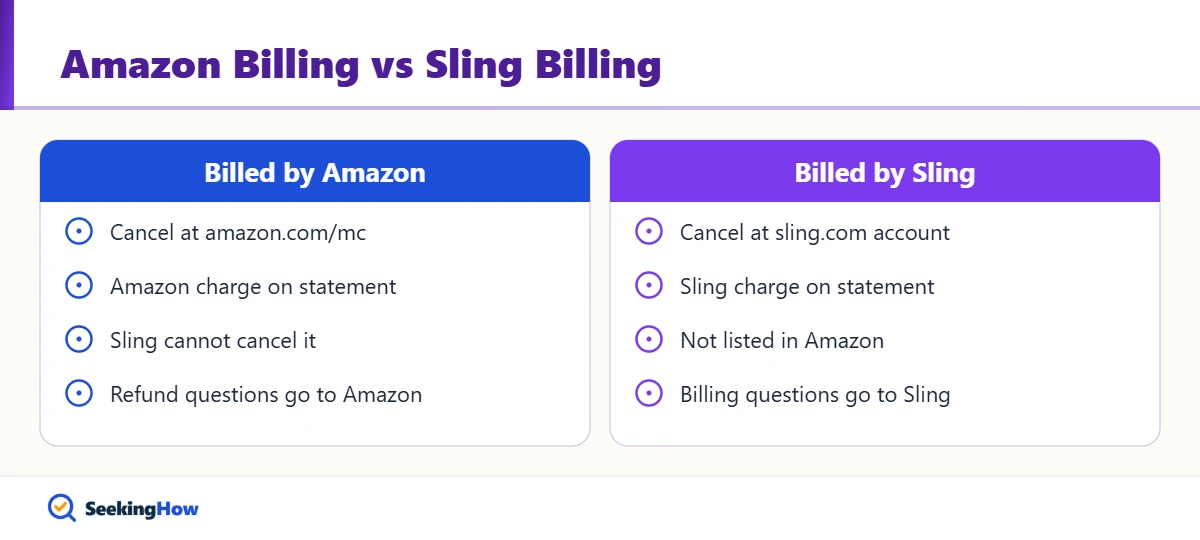
Look at your card statement or receipt emails. A charge labeled from Amazon or Amazon Digital for Sling means Amazon handles the subscription. Signing in at sling.com is another quick check: an Amazon-billed account typically won’t show a working cancel option there. Most people find that if they subscribed through the Fire TV’s Sling app prompts, Amazon is the biller.
How To Cancel Sling TV Through Amazon: Step-by-Step
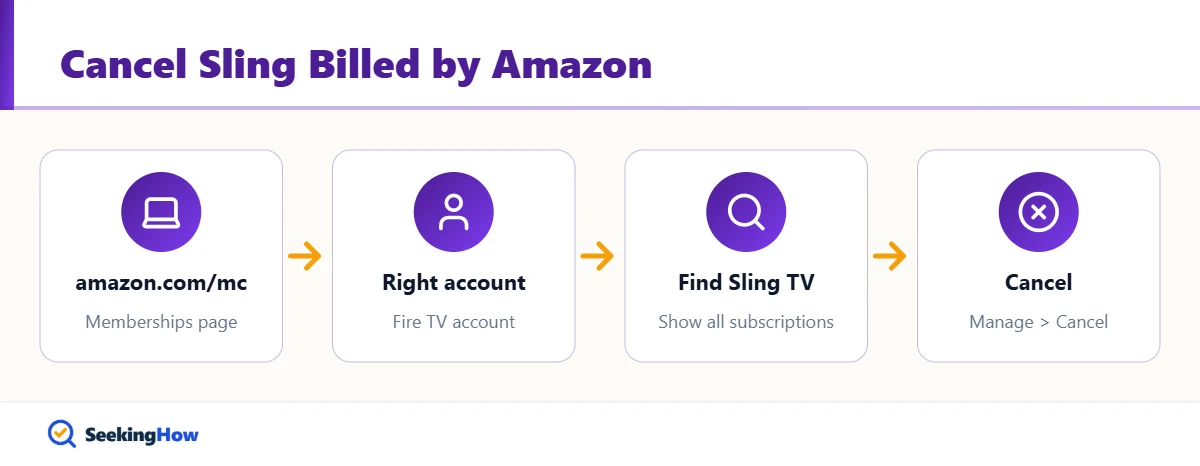
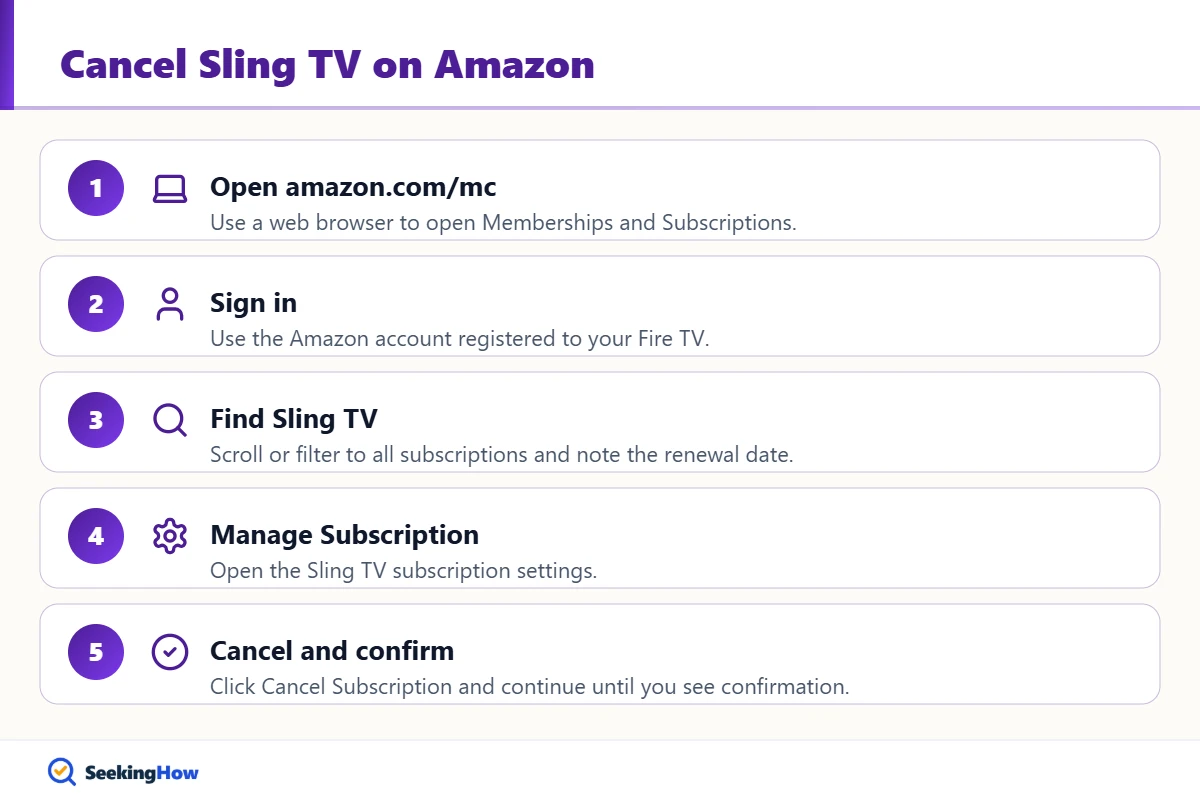
Step 1: Open Amazon Memberships and Subscriptions
In a web browser, go to amazon.com/mc, or open Account & Lists and choose Memberships & Subscriptions. Use a browser rather than the Fire TV itself, because the browser shows every active subscription and its renewal date in one place.
Step 2: Sign In to the Right Amazon Account
Sign in with the Amazon account registered to the Fire TV where you subscribed. Households with more than one Amazon account often check the wrong one, which is the most common reason Sling seems to be missing.
Step 3: Find Sling TV
Scroll the list of subscriptions, or switch the filter to show all subscriptions, until you see Sling TV. Note the next billing date so you know how long access will last.
Step 4: Click Manage Subscription
Select Manage Subscription beside Sling TV. This opens the subscription settings, including renewal and cancellation options.
Step 5: Cancel and Confirm
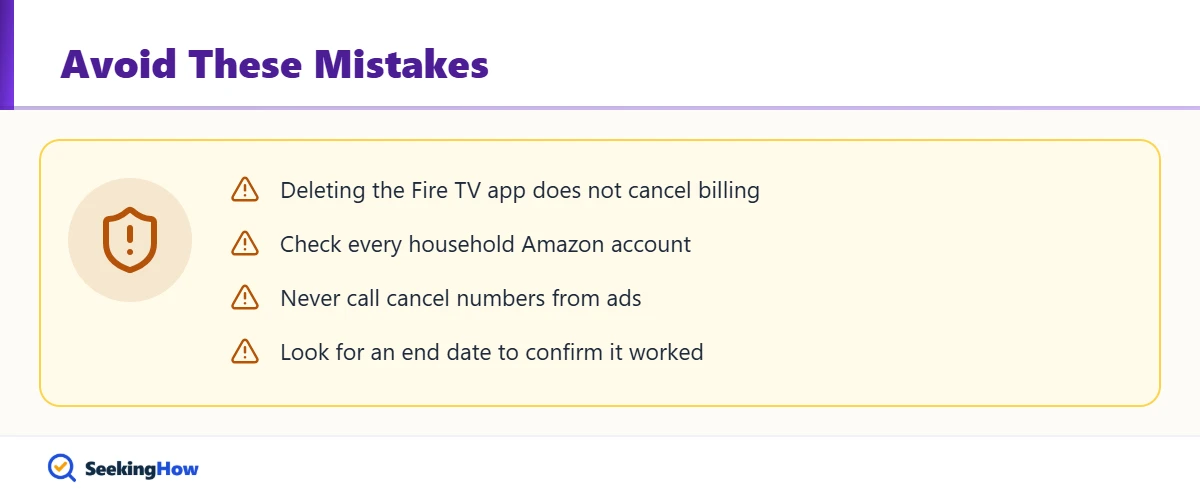
Click Cancel Subscription and follow the prompts until Amazon confirms the cancellation. Amazon may offer to keep the subscription or show a reminder about losing access; keep going until you see a confirmation. Then refresh the page and check that Sling shows an end date instead of a renewal date.
Bottom line: If Amazon charges you for Sling, cancel at amazon.com/mc; if Amazon doesn’t list Sling, cancel through whoever does charge you.
Other Ways Sling May Be Billed
| Who bills you | Where to cancel | Time | Clue |
|---|---|---|---|
| Amazon | amazon.com/mc, Manage Subscription | 3 minutes | Amazon charge on your statement |
| Sling directly | sling.com, My Account, Cancel Subscription | 3 minutes | Charge labeled Sling |
| Roku | my.roku.com subscriptions | 2 minutes | Charge labeled Roku |
| Apple or Google | Device subscription settings | 2 minutes | Apple or Google Play charge |
If That Didn’t Work
Problem: Sling isn’t listed in Memberships and Subscriptions. Cause: You are signed in to a different Amazon account, or Amazon doesn’t bill you. Fix: Check every household Amazon account, then sign in at sling.com to see if Sling bills you directly.
Problem: Sling.com says your account is managed by a third party. Cause: The subscription was purchased through Amazon. Fix: Cancel at amazon.com/mc; Sling can’t cancel or refund Amazon-billed plans.
Problem: Charged again right after canceling. Cause: The renewal posted before your cancellation, or a second subscription exists. Fix: Check the order date and look for duplicate Sling entries; contact Amazon customer service about the charge.
Problem: Sling still plays after canceling. Cause: Access lasts through the paid period. Fix: No action needed; it ends on the date shown. Canceling other streaming services works similarly, as in how to cancel Fubo.
Safety and When To Contact Support
Sign in only on amazon.com or sling.com, and ignore phone numbers from ads or search results that promise to cancel Sling for you. Neither Amazon nor Sling charges a fee to cancel. Contact Amazon customer service through your account for Amazon-billed charges you don’t recognize, and dispute a charge with your card issuer only after the provider fails to fix it.
Prevention Tips
- Review amazon.com/mc every few months for forgotten app subscriptions.
- Turn on purchase controls (a PIN) on Fire TV devices so new subscriptions need approval.
- Set a calendar reminder two days before any free trial ends.
Related Guides
- How to cancel Fubo on any device
- LG TV says Wi-Fi is turned off: fixes
- How to watch live events for free
Sources
- Amazon Customer Service: Cancel your Amazon digital software subscription (amazon.com help)
- Sling TV official site (sling.com)
Frequently Asked Questions
Can I cancel Sling on sling.com if Amazon bills me?
No. When Amazon processes your Sling payments, the subscription must be canceled from your Amazon account at Memberships and Subscriptions. Sling can only cancel plans it bills directly. Signing in at sling.com is still useful to confirm which company manages your billing.
Does deleting the Sling app from my Fire Stick cancel it?
No. Uninstalling Sling from a Fire TV Stick only removes the app from that device. The subscription keeps renewing until you cancel it at amazon.com/mc or with whichever company bills you.
Can I cancel Sling through Amazon on my Fire TV?
The most reliable method is a web browser at amazon.com/mc, which lists every subscription on the account. A phone browser works fine. The Fire TV itself is not the recommended place to manage app subscriptions billed through Amazon.
Will I get a refund if I cancel Sling through Amazon?
Usually not for the current period; canceling stops the next renewal and you keep access until the billing period ends. If you were charged unexpectedly, contact Amazon customer service, since Amazon handles billing for subscriptions bought through it.
Why is Sling not in my Amazon subscriptions?
Sling is missing when you are signed in to a different Amazon account or when another company bills you, such as Sling, Roku, Apple or Google. Check your card statement for the merchant name, then cancel with that company.
How do I know my Sling cancellation through Amazon worked?
Refresh Memberships and Subscriptions after canceling. Sling should show an end date rather than a next renewal date, and Amazon typically sends a confirmation email. Keep that email until the end date passes without a charge.
Can I resubscribe to Sling later?
Yes. You can sign up again any time, either directly at sling.com or through a streaming device. Subscribing directly with Sling lets you manage and cancel the plan on sling.com instead of through Amazon.